Support for `headers` Attribute
 This post only covers the
 headers attribute in HTML tables (ARIA has no headers equivalent).
My 2022 post Accessible Cart Tables? showed headers attribute support was poor. In my 2023 post Avoid Spanning Table Headers I didn’t use headers because I knew support was poor.
For this post I merged the patterns and tested using the latest kit.
TL;DR: Avoid spanning and/or compound headers given inconsistent support. The headers attribute is largely useless. Mobile screen reader / browser pairings generally ignore row and column headers, spanned or not. Desktop screen reader / browser pairings handle spanned header cells just as well without a headers attribute as with (with the mild exception of Safari).
Demo
I made an example. If the embed below is not working, visit it directly.
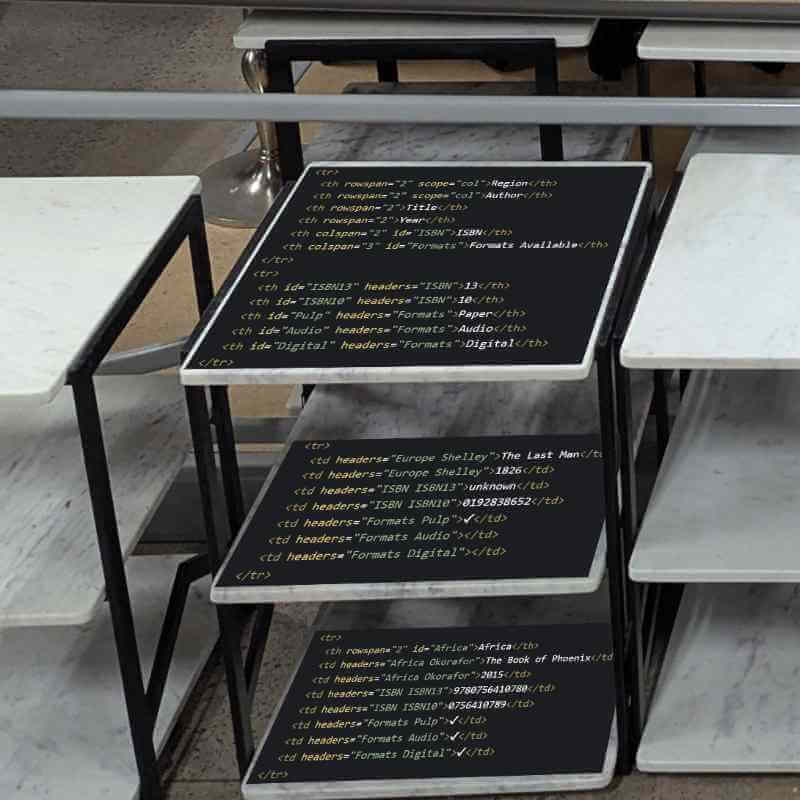
Excerpted HTML
This is just an excerpt of the first table. Imagine all headers and id attributes are stripped from the second table but that it is otherwise the same.
<table>
  <caption>Using <code>headers</code> Attribute</caption>
  <tr>
    <th rowspan="2" scope="col">Region</th>
    <th rowspan="2" scope="col">Author</th>
    <th rowspan="2">Title</th>
    <th rowspan="2">Year</th>
    <th colspan="2" id="ISBN">ISBN</th>
    <th colspan="3" id="Formats">Formats Available</th>
  </tr>
  <tr>
    <th id="ISBN13" headers="ISBN">13</th>
    <th id="ISBN10" headers="ISBN">10</th>
    <th id="Pulp" headers="Formats">Paper</th>
    <th id="Audio" headers="Formats">Audio</th>
    <th id="Digital" headers="Formats">Digital</th>
  </tr>
[…]
  <tr>
    <th rowspan="3" id="Shelley" headers="Europe">Mary Shelley</th>
    <td headers="Europe Shelley">Frankenstein; or, The Modern Prometheus</td>
    <td headers="Europe Shelley">1818</td>
    <td headers="ISBN ISBN13">9781530278442</td>
    <td headers="ISBN ISBN10">1530278449</td>
    <td headers="Formats Pulp">✔</td>
    <td headers="Formats Audio">✔</td>
    <td headers="Formats Digital">✔</td>
  </tr>
[…]
</table>
Results
Browser dev tools do a poor job of exposing table heading relationships in their accessibility inspectors, so manual screen reader testing is necessary.
I only tested the audio output from screen readers, not their Braille viewers and no Braille displays. I also did not pair keyboards with the mobile devices. These are opportunities for you to go further in your own testing.
Firefox 155 / NVDA 2026.2
Firefox / NVDA handles spanning headers well. Adding the headers attribute has no effect in the demo.
- Using
headersAttribute- Virtual cursor (↓/↑):
- Announces each row header’s headers and each column header’s headers.
- Announces compound row and column headers.
- Announces row and column headers.
- Table navigation (Ctrl+Alt+←/↑/→/↓):
- As above.
- Read-all (Caps Lock+A):
- As above.
- Virtual cursor (↓/↑):
- No
headersAttribute- Any navigation method:
- As above.
- Any navigation method:
Chrome 152 / JAWS 2026.2608.25
Chrome / JAWS handles spanning headers well, though less verbose than Firefox / NVDA. Adding the headers attribute has no effect in the demo.
- Using
headersAttribute- Virtual cursor (↓/↑):
- No column headers announced.
- No row headers announced, though kind of moot.
- Table navigation (Ctrl+Alt+←/↑/→/↓):
- Announces each row header’s headers and each column header’s headers.
- Announces compound row and column headers.
- Announces row and column headers.
- Read-all (Caps Lock+↓):
- No column headers announced.
- No row headers announced, though kind of moot.
- Virtual cursor (↓/↑):
- No
headersAttribute- Any navigation method:
- As above.
- Any navigation method:
Edge 152 / Narrator Win11 25H2
Edge / Narrator handles spanning headers well, though far more verbose than Firefox / NVDA. Adding the headers attribute has no effect in the demo. Table navigation in Edge / Narrator also gets tricky with spanned cells, as sometimes an arrow does not move in the direction you want (as in, the opposite direction).
- Using
headersAttribute- Virtual cursor (↓/↑):
- Announces each row header’s headers and each column header’s headers.
- Announces compound column headers.
- Announces column headers.
- Table navigation (Ctrl+Alt+←/↑/→/↓):
- Announces each row header’s headers and each column header’s headers.
- Announces compound row and column headers.
- Announces row and column headers.
- Read-all (Caps Lock+↓):
- As above.
- Virtual cursor (↓/↑):
- No
headersAttribute- Any navigation method:
- As above.
- Any navigation method:
Safari / VoiceOver macOS 26.6.2
Once you start setting the headers attribute, it seems like you need to set it everywhere. But that also means you might get the wrong header axis when announcing a cell’s current header. This does not behave the same as Safari / VoiceOver on iPadOS.
- Using
headersAttribute- Arrowing (←/↑/→/↓):
- No column headers announced.
- No row headers announced, though kind of moot.
- Table navigation (Ctrl+Opt+←/↑/→/↓):
- Announces column headers only when set by
headersattribute. - Announces only the first row header, not the compound header set by
headersattribute.
- Announces column headers only when set by
- Read-all (Ctrl+Opt+A):
- No headers of either kind announced.
- Announce row header (Ctrl+Opt+R):
- Announces only row numbers.
- Announce column header (Ctrl+Opt+C):
- When on a cell in the Title column, it gives me both row headers (wrong axis).
- When on cells under ISBN or Format, it gives me both column headers.
- Arrowing (←/↑/→/↓):
- No
headersAttribute- Arrowing:
- As “Arrowing” above.
- Table navigation:
- Announces column headers (better), but only first of compound header (as above).
- Announces only the first row header, not the compound header (as above).
- Read-all:
- As “Read-all” above.
- Announce row header:
- As “Announce row header” above.
- Announce column header:
- When on a cell in the Title column, it gives me the column header.
- When on cells under ISBN or Format, it gives me only the first column header.
- Arrowing:
Firefox / Orca
I blew up my VM. Again. No results this time, sorry.
Chrome 152 / TalkBack 17 / Android 17
The headers attribute has no impact and headers are not announced.
- Using
headersAttribute- Swiping:
- Announced “Asia” (the row header in the first column) with every cell in row 1.
- Announced no row headers otherwise.
- Announced no column headers.
- Announced no header’s spanning headers (when navigating header cells alone), neither row nor column.
- Explore by touch:
- As above.
- Read-all:
- As above.
- Navigating by row:
- As above.
- Navigating by column:
- As above.
- Swiping:
- No
headersAttribute- Any navigation method:
- As above.
- Any navigation method:
Firefox 155 / TalkBack 17 / Android 17
The headers attribute has no impact and headers are not announced. There is also no row or column navigation support for tables in TalkBack when using Firefox.
- Using
headersAttribute- Swiping:
- Announced no row headers.
- Announced no column headers.
- Announced no header’s spanning headers (when navigating header cells alone), neither row nor column.
- Explore by touch:
- As above.
- Read-all:
- As above.
- Swiping:
- No
headersAttribute- Any navigation method:
- As above.
- Any navigation method:
Safari / VoiceOver iPadOS 26.6.1
The headers attribute has no impact. Headers are generally announced, but never secondary headers and not always the header for the axis you expect. This does not behave the same as Safari / VoiceOver on macOS.
- Using
headersAttribute- Swiping:
- Ignores the secondary column header (10, 13, Paper, Audio, Digital).
- Announces column headers but never row headers.
- Explore by touch:
- Ignores the secondary column header (10, 13, Paper, Audio, Digital).
- Ignores the secondary row header (author name), except for the only case where the secondary spans the primary (announces “Nnedi Okorafor” while ignoring “Africa”).
- Read-all:
- Announced no row headers.
- Announced no column headers.
- Swiping:
- No
headersAttribute- Any navigation method:
- As above.
- Any navigation method:
Known Bugs
These are bugs I know about, though there’s little to no movement fixing them:
- Chromium bug 40691227: headers attribute ignored in tables resulting in an incorrect screen reader experience (accessibility), 11 May 2020, marked “New.”
- Chromium bug 40818082: Screen readers announce spanning row header as many times as columns it spans, 24 January 2022, marked “New.”
- JAWS bug 601: JAWS announces wrong column header info after spanned cell, 24 January 2022, open with no activity from Vispero.
- WebKit bug 235740: AX: Incorrect row header announcement in VoiceOver macOS, 27 January 2022, marked “New.”
There may be unknown (to me) bugs, so please leave a link if you know of others. I already know that MDN, via Baseline, reports full support for headers. Which should not be news to you.
Wrap-up
Avoid spanning and/or compound headers given inconsistent support. The headers attribute is largely useless. Mobile screen reader / browser pairings generally ignore row and column headers, spanned or not. Desktop screen reader / browser pairings handle spanned header cells just as well without a headers attribute as with (with the mild exception of Safari).
Definitely related on this site:
- Accessible Cart Tables?, January 2022.
- Avoid Spanning Table Headers, February 2023.
- Every one of my HTML table posts.
Leave a Comment or Response