Should a Dialog Close When Clicked Outside?
Maybe not, but I’ll break these down into three categories because it depends on context and intent.
Pretend this post also applies for pressing Esc.
Action Required
If the user must complete a task that is presented by the dialog, then they should not be able to close it without completing that task — accidentally or not.
Which means it’s probably a modal dialog, otherwise the user could still interact with the underlying page and avoid doing the task. It also probably has no close button, since the user could then avoid doing the task. It also probably won’t close when pressing Esc, since (say it with me) the user could then avoid doing the task.
Possible cases where a user must complete a task before the dialog goes away:
- agreeing to a legal thing,
- acknowledging a thing might cause harm / kill you / summon Chet,
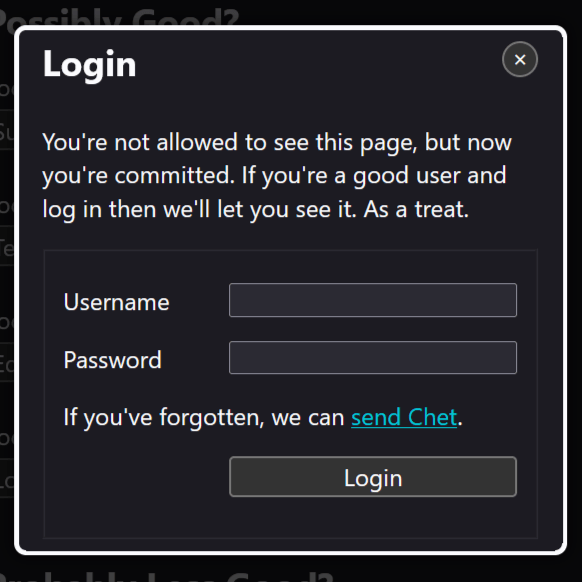
- logging in from within a protected page.
In some cases consider if you’re better off making a standalone page instead of using a modal dialog. Particularly if there is any chance the user may need to access information linked from the footer, from an on-screen error, or otherwise continue navigating the site or reading the underlying page in order to complete the task. This can also better account for when the user hits the Back button when encountering a non-dismissable dialog.
No Action Required
If the dialog is informational, then clicking outside to close it is generally a usability win.
If the dialog is just, like, your opinion man (like it’s your opinion that I need to sign up for your newsletter), then it’s almost always better to allow click-outside-to-close as long as that corresponds with the least destructive choice. Just be sure the user can get back to that accidentally-dismissed free-side-of-ketchup-slices offer.
Cases where it’s probably fine to close the dialog when clicking outside:
- confirmation of a user-initiated action,
- confirmation of a system-initiated action (provided there is a way to find that confirmation again),
- a chatbot discussion,
- a login form to access a different part of the site.
Cases where you should definitely allow click-outside-to-close:
- a newsletter sign up,
- shopping offers,
- anything that appears when my mouse pointer moves toward the top of the viewport,
- that useless and unblockable (despite what Google claims) “Sign in with Google” box which appears everywhere surveillance state capitalism and lazy authors like to hang out.
Weird Patterns
Maybe you’re using a dialog for some other purpose, like one of the patterns known as drawer, (bottom) sheet, lightbox, or whatever else authors come up with that perverts the UI primitive that is a dialog.
Here you need to make an informed choice based on a combination of user expectation and user impact.
If you have a thing (sheet, drawer, lightbox, sandwich) pop / slide / spin / hoover into place, partly obscuring the underlying page, and the user expects to do stuff in it, then consider:
- does the user need to see the page this occludes?
- does the user lose their place or form data if it closes?
- does the pattern visually mimic another pattern on the site that closes or behaves in a particular way?
- does the pattern programmatically mimic another pattern on the site that closes or behaves in a particular way?
- how difficult is it to restore the thing if accidentally closed, including restoring its state and all user-filled fields (if a form)?
Because
Context.
Context means there is rarely a universal answer. Think about intent, expectations, and hassle (to the user, not the fragile ego of an author) when making your decision. Be thoughtful of stress cases for users and mindful of limitations within the platform.
Related
- Where to Put Focus When Opening a Modal Dialog, 6 June 2025
- Where to Put Focus When Deleting a Thing, 25 August 2023
- Dialog Focus in Screen Readers, 12 October 2020
4 Comments
I’ll bite – who, or what, is Chet?
In response to . The guy who was keeping the ultimate ideal bestest base font size a secret.
Great article, Adrian! As a person with a neurological movement disorder, I appreciate it. I especially identify with “how difficult is it to restore the thing if accidentally closed, including restoring its state and all user-filled fields (if a form)?”
Thankfully, I don’t encounter this pattern much. It’s super-frustrating when I do, though. Some of us, our hands make spastic movements and we may accidentally hit esc or click-outside when we don’t mean to. Having to re-enter data can be a real pain. Please consider a small update addressing this issue. I know others who have this issue.
Thanks again.
In response to . It’s absolutely a frustrating experience to dump all user-filled data (and selections) in nearly any arbitrary way. The bit of my post that you quoted touches on that, but your explicit comment is welcome.
Leave a Comment or Response