How I Evaluate an ACR (VPAT®)
ACRs are Accessibility Conformance Reports, which are the output of a VPAT, or Voluntary Product Accessibility Template maintained by ITIC, or the Information Technology Industry Council (which is why VPAT often has a ® symbol hanging off it). An organization may fill out the template to indicate how or if its offering conforms to WCAG, Section 508, EN 301 549, or all three.
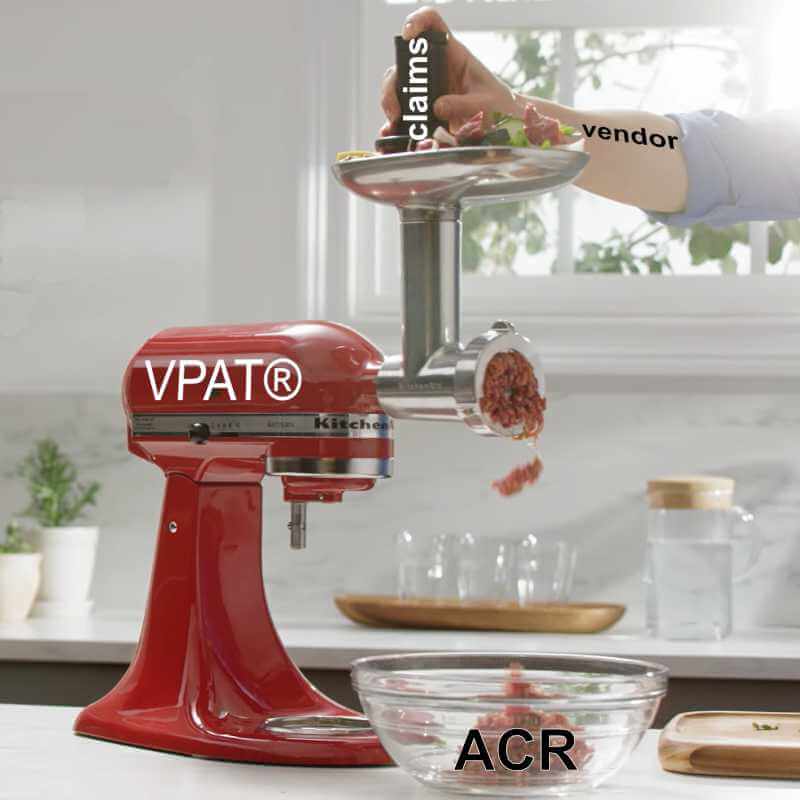
I’ve helped evaluate ACRs for clients looking to purchase a product but who want guarantees that the product is accessible. The existence of an ACR doesn’t mean the product is accessible or even conformant, nor does it mean the ACR itself is accurate. However, it’s often the first step to identifying how a company presents the accessibility of its offerings. I often remind my clients looking to acquire a product that “ACR or GTFO” is only a starting point.
This post outlines, at a very high level, some of the steps I take when evaluating an ACR and, by extension, a vendor. You may have other approaches. You should comment with your own. Unless you feel it’s some sort of trade secret. Which is weird.
Steps
This list is not exhaustive and not always practical. It matches the front matter provided in the template.
- Name of Product/Version: You want this to match the product and release version you’re considering using.
- Report Date:
- If undated, it should match the current VPAT release.
- The freshness could be a function of the product’s deployment process.
- Products following a continuous deployment (or unversioned) release cycle should be as current as possible.
- Otherwise the update cadence should probably be under one year.
- Product Description: Make sure the product description in the ACR matches the product you’re considering.
- Contact Information: This should be the product owner, ACR author, or otherwise make sense in context. If it’s a completely different company, one that may not be on your contract, ask for clarity.
- Notes: This is where you pay attention to…
- Carve-outs and exceptions which can exclude entire sections or features of a product from the report.
- Language that gets squishy and tries to frame problems identified in the report.
- This may be where the team performing the testing is identified.
- Evaluation Methods Used:
- You don’t want a report that relies solely on automated testing or “product knowledge.”
- Look for version number of browsers, operating systems, and assistive technologies and ensure they are recent and / or match your audience.
- Be cautious of testing performed in only one browser or only one screen reader or that doesn’t mention voice control or other assistive technologies. For example, if it was only tested in Safari with VoiceOver on a Mac, then it’s not a thorough review.
- Applicable Standards / Guidelines: It’s critical this matches the latest of each as well as the latest VPAT version. A WCAG review that only looks at WCAG 2.0 neglects the reality that you and your audience aren’t in 2008.
- The VPAT is currently 2.5, or April 2025, and comes in the following flavors:
- VPAT 2.5Rev EU (April 2025) covers EN 301 549.
- VPAT 2.5Rev WCAG (April 2025) covers WCAG 2.2.
- VPAT 2.5Rev 508 (April 2025) covers Revised Section 508 standards.
- VPAT 2.5Rev INT (April 2025) covers all three.
- The VPAT is currently 2.5, or April 2025, and comes in the following flavors:
This list addresses the content of the report itself.
- Go back to the front matter and identify the report author (check Contact Information, Notes, or Evaluation Methods Used).
- The author is also the vendor — be very wary.
- The author is a digital accessibility consultancy you recognize — be less wary.
- The author is a digital accessibility consultancy you do not recognize — do some research:
- Look for an accessibility policy on the author’s site.
- Find accessibility issues / contributions on GitHub.
- Check if any issues / PRs are tagged as accessibility.
- Look at how long it takes to close accessibility issues.
- See if the author speaks to accessibility in its blog, social media, and so on.
- Try to find any disability or accessibility community engagement.
- Review the contracts for any language related to WCAG (or applicable laws).
- Try to find any written accessibility guarantees.
- Ask for a demo of the accessibility features of the product.
- If the reviewers are Akbar and Jeff’s WCAG Hut then maybe put it under a bit more scrutiny.
- Every row should have content in the Remarks and Explanations cell.
- These should detail what is wrong and ideally what is testably wrong (so you can confirm it and understand the impact).
- They should describe support as well, if only to brag about the effort, but typically don’t.
- References to internal bugs are unlikely, but you can ask for the status and timelines of bugs related to your concerns.
- Make sure the remarks demonstrate understanding of Success Criterion, etc., especially for anything marked N/A (pasting SC language is not understanding) — see clarifying conformance model update below.
- Within an INT ACR, look for cross-mappings across WCAG, Section 508, and EN 301 549.
Related
Way back in 2011, Karl Groves wrote Why a Third Party Should Prepare Your VPAT and I think it’s useful for evaluating ACRs. In 2023 he also wrote A quick guide to reviewing a VPAT ACR, which is far longer than this post. Probably read it after this one for a more detail. There is also WebAIM’s process for vetting ACRs as another reference point, from early 2024.
Karl has written another one as of 7 April 2026, VPAT Quality: How to Spot a VPAT That Wasn’t Properly Tested. It’s fair to say Karl has thoughts on VPATs.
28 May 2026: WCAG Conformance Model
The WCAG 2.2 conformance model only allows for a Success Criterion to pass or fail. There is no ‘N/A’.
VPATs allow ‘N/A’ but with guidance not to:
- Not Applicable: The criterion is not relevant to the product.
Note: When filling in the WCAG tables, a response may use ‘Supports’ where one might otherwise be inclined to use ‘Not Applicable’. This is in keeping with WCAG 2.0 Understanding Conformance: This means that if there is no content to which a success criterion applies, the success criterion is satisfied.
This confuses some folks filling out a VPAT but can also confuse folks reading the resultant ACR. If you receive an ACR with ‘N/A’ then you should contact the vendor and ask for more information.
Leave a Comment or Response